
The Exact Toolset I Use to Build Lists, Create Pages, Track Traffic, and Make Real Sales Online

If you’ve been following along on any of my email lists, you know I’ve been talking about the systems I actually use to drive traffic to my offers and turn it into sales.
Today I am getting it all online…AND I’m starting with the foundation — the one platform that holds everything together for me. Most people jump straight to “traffic sources” and wonder why nothing sticks. I did that early on, too. It cost me time and money before I realized the real secret is having a simple, reliable system first.
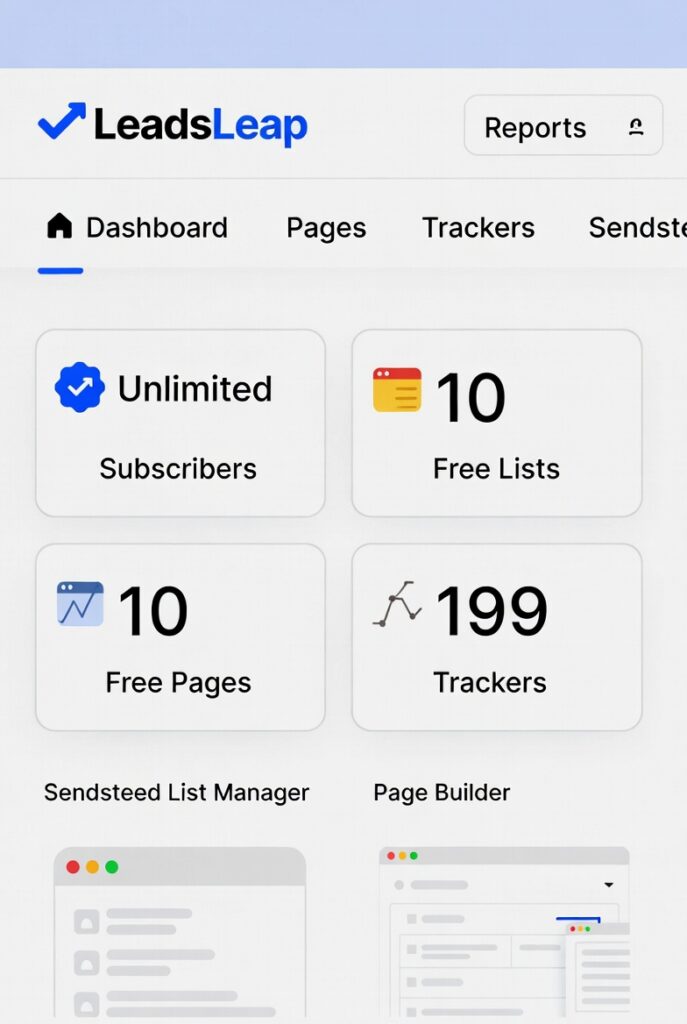
That system starts with LeadsLeap. (Graphic below is just to illustrate what is available to free members and NOT an actual representation of the back office dashboard.)
I’ve been using LeadsLeap for many years because it’s the only all-in-one toolset I’ve found that gives me everything I need — list building, page creation, tracking (including third-party sites), and even free traffic — without complicated setups or monthly bills I can’t afford to miss.
It’s not flashy. It’s not perfect. But it works, and it’s what I actually rely on every single day. Here’s the full breakdown of what it offers, why I use each piece, and how it all fits together to make real money online.
1. List Building & Autoresponder (Sendsteed List Manager)
This is where it all starts for me.
LeadsLeap gives you a completely free autoresponder called Sendsteed List Manager. You get 10 lists and unlimited subscribers on the free plan. No credit card required, no risk of losing your entire list if a payment slips.
I use it to collect emails from every page and funnel I build. Once someone opts in, the autoresponder handles the welcome sequence and follow-ups automatically. That means I can focus on driving traffic instead of babysitting a list.
Real benefit: Peace of mind. I’ve seen too many marketers lose thousands of subscribers because they let a paid autoresponder lapse. With LeadsLeap, that never happens.
2. Page & Funnel Builder (with Free Hosting)
I create all my opt-in pages, sales pages, and simple funnels right inside LeadsLeap.
You get 10 free pages with hosting included. Same for popups (10 free popups). No need for separate hosting, WordPress headaches, or extra monthly fees.
I build clean, straightforward pages that do one thing well: collect the email or make the offer. The builder is simple enough that I don’t need to be a tech wizard, but powerful enough to get the job done.
Real benefit: Speed. I can have a new page live in minutes instead of hours. That lets me test ideas fast and keep the momentum going.
3. Link Tracking & Rotators
LeadsLeap has one of the best link trackers I’ve used — 199 trackers and 10 rotators on the free plan.
I track every single link I send out so I know exactly where the traffic is coming from and what it’s doing. The rotators let me split-test offers or pages without extra tools.
4. The Unique Third-Party Tracking (This Is the Big One)
Here’s the feature that keeps me coming back year after year.
Most trackers go blind the second someone leaves your page. LeadsLeap is different — it tracks human visits with duration even on third-party sites that I send traffic to. It verifies real people (not bots) and shows me how long they actually stay.
Nothing else I’ve tried does this as cleanly or reliably. That data tells me which traffic sources are worth keeping and which offers are actually converting, even when I don’t own the page.
Real benefit: Honest numbers. I don’t have to guess or rely on other people’s dashboards. I see the truth, and I can make better decisions fast, even tracking simple affiliate pages.
Normal Tracker vs LeadsLeap Third-Party Tracking – The difference is huge.

5. Traffic Coop & Earn-As-You-Surf
LeadsLeap also gives me built-in traffic.
The Traffic Coop exposes my ads to thousands of other members across multiple networks. Earn-As-You-Surf lets me (and my subscribers) earn by viewing ads.
I don’t rely on these for a lot of traffic, but they’re nice extras that keep the system running and give me additional reach without extra cost.
How It All Works Together in My Business
I set up my LeadsLeap account once. Then everything flows through it:
- Build the page or funnel in LeadsLeap.
- Set up tracking (including third-party if needed).
- Drive traffic from the different sources I use.
- Watch the numbers in real time.
- Let the autoresponder nurture and sell.
It’s simple. It’s trackable. And because almost everything is free (or very low cost on Pro if I want unlimited), I never feel pressure to “make it work fast” just to cover bills.
How the Full System Fits Together
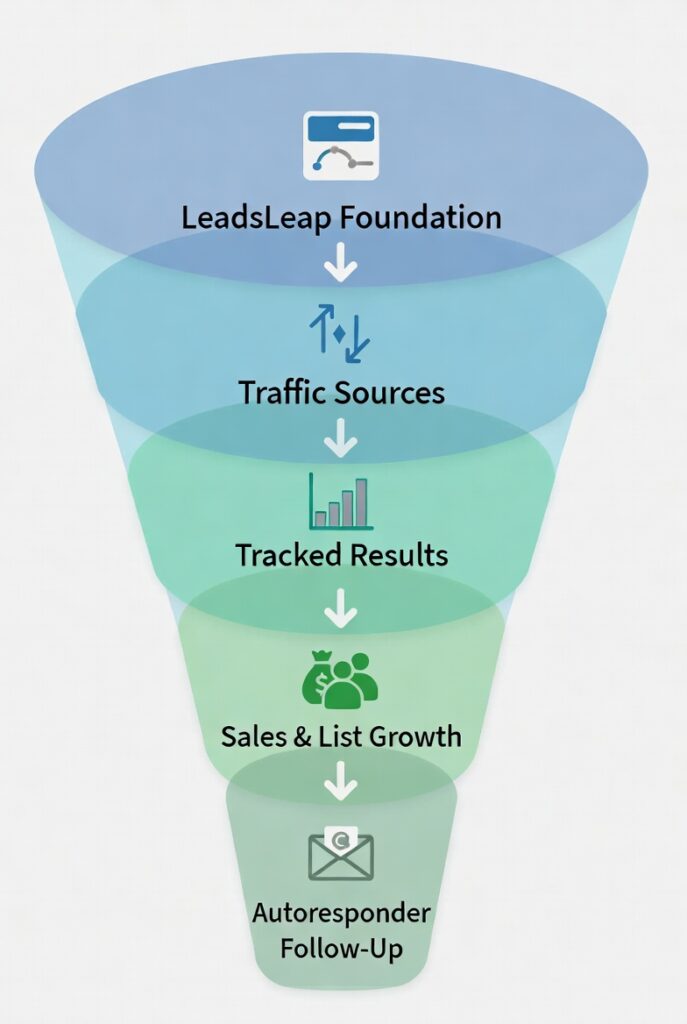
That’s why I’m spending time on LeadsLeap this week FIRST, before I start digging into the individual traffic sources I use on a daily basis.
Leads Leap…It’s the foundation I wish I had years ago.
If you’re building an online business, this is the kind of toolset that lets you move forward without getting buried in tech or recurring expenses.
I’ll be going much deeper into each piece throughout the week — how I set it up, the exact pages I build, how I use the tracking to make decisions, and more.
For now, if you’re not already familiar with LeadsLeap, I’d suggest heading over there and grabbing a free account. Play around with it. See how clean and straightforward it feels.
Got questions about any of this? Reply to this post or drop a comment. I read every one, and I’m happy to help.
This is just the beginning of the series. Stick around — there’s a lot more practical stuff coming.
Adam

Adam Bauthues shares practical tips, tools, and resources to help make building income online simpler and more approachable. Through this website, Adam provides helpful content and recommendations, including the Plug-In Profit Site, a system designed to help beginners get started online with a website, step-by-step training, and built-in income streams. Learn more about getting started with Plug-In Profit Site here.